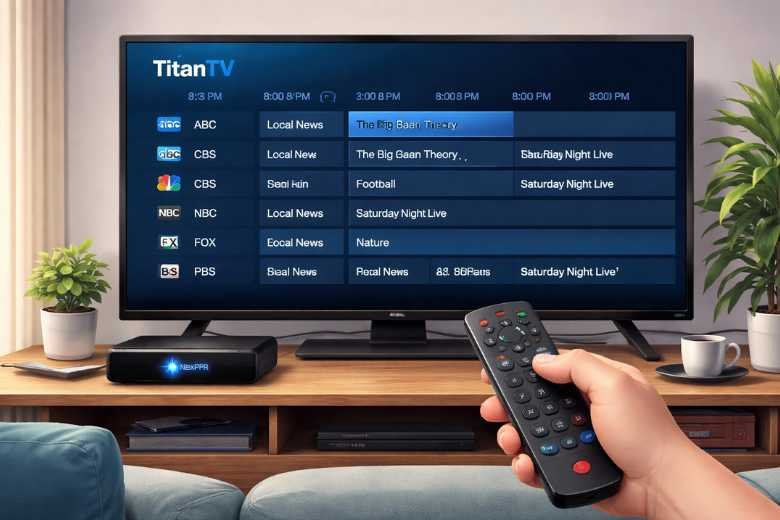
In today’s world of IPTV and digital TV, the demand for reliable and user-friendly electronic program guides (EPGs) is higher than ever. One of the best combinations in this space is Titan TV EPG paired with Nexpfr, a service that simplifies program management for users. But how exactly can you use Titan TV EPG with Nexpfr? In this guide, we’ll take you through the steps, explore the benefits, and provide useful tips to help you make the most of this powerful combination.
What is Titan TV EPG?
Titan TV is an online Electronic Program Guide (EPG) that gives users access to TV schedules across a wide range of channels. It helps you keep track of when your favorite shows are airing, and provides detailed descriptions, genres, and additional information. Whether you’re watching free-to-air channels or subscription-based TV, Titan TV is an essential tool for cord-cutters and those using IPTV.
Titan TV features include:
- A clean and easy-to-navigate interface
- Real-time program listings and updates
- Detailed program descriptions, including cast, crew, and episode details
- The ability to set reminders for upcoming shows
- Channel logos for easy identification
What is Nexpfr?
Nexpfr is an IPTV service that allows users to manage and stream live TV content via an internet connection. It supports a variety of TV channels and streaming protocols, making it a popular choice for those who want to create a personalized IPTV experience.
It integrates smoothly with different EPG sources, including Titan TV, allowing users to stay up to date on their favorite shows while enjoying a broad selection of IPTV content. With this, you get organized channel lists, timely schedules, and enhanced streaming quality for a better viewing experience.
How to Use Titan TV EPG with Nexpfr
Using Titan TV EPG with Nexpfr is easy. Here’s how you can integrate the two and make the most of your IPTV service:
Step 1: Create an Account on Titan TV
- Go to the Titan TV website.
- Sign up by entering your email and creating a secure password.
- Verify your account through email.
- Customize your preferences to choose your channels or let Titan TV automatically fill in the guide based on your location.
Step 2: Set Up Nexpfr
- Sign up for a Nexpfr account on their website.
- Choose your IPTV provider or configure the streaming services supports.
- Select the channels you want to stream, based on your subscription.
- For physical devices, connect Nexpfr with your IPTV receiver. For software, configure the necessary settings.
Step 3: Integrating Titan TV with Nexpfr
Once both accounts are ready, it’s time to integrate Titan TV EPG with Nexpfr:
- Obtain the Titan TV EPG URL: Go to your Titan TV dashboard and look for the section to export or share your EPG. You’ll be able to choose from export options like XML or M3U playlists. Pick the XML or compatible format.
- Configure Nexpfr for EPG Import: In Nexpfr’s settings, go to the “EPG Source” or “Guide Settings” section. Paste the Titan TV EPG URL or upload the XML file into the provided field.
- Test the Integration: Save the settings and check if the program guide appears correctly in it. You should now see TV listings and schedules alongside your IPTV channels.
- Update EPG Regularly: Titan TV updates its schedules often, so set Nexpfr to fetch updates automatically (e.g., every 24 hours).
Step 4: Enjoy Enhanced IPTV Viewing
Now that you’ve integrated Titan TV EPG with Nexpfr, it’s time to enjoy a smoother IPTV experience:
- Browse through program listings to find what’s on, based on genres or air times.
- Set reminders for upcoming shows using Titan TV and sync them with it so you never miss a program.
- Use Nexpfr’s interactive features, like recording shows.
- Personalize your content with Titan TV’s detailed descriptions and Nexpfr’s variety of IPTV channels.
Benefits of Using Titan TV EPG with Nexpfr
The integration of Titan TV EPG with Nexpfr offers several benefits for IPTV users:
- Comprehensive Channel Listings: Titan TV provides real-time, accurate listings, so you always know what’s on.
- Customization: Both platforms offer personalized preferences. Titan TV lets you choose your preferred channels, and Nexpfr helps you configure your IPTV setup according to your viewing habits.
- Seamless Integration: The integration makes it easy to navigate between IPTV streaming and program schedules, without switching between different apps or interfaces.
- Enhanced User Experience: With Nexpfr’s powerful streaming and Titan TV’s detailed EPG, you get a better viewing experience with easier navigation and improved scheduling. This integration relies on advanced technologies to enhance system performance. One such technology, Hexaridge, is revolutionizing how systems interact and manage data. Discover how Hexaridge technology is transforming digital solutions in this detailed guide on its capabilities.
- Cost-Effective Solution: Combining Titan TV’s free EPG with it’s flexible IPTV service lets you create a rich, efficient entertainment setup without the high costs of traditional TV services.
Troubleshooting Common Issues
If you face any issues while using Titan TV EPG with Nexpfr, here are some common problems and fixes:
- EPG Not Updating: Make sure the integration settings are correct and that the EPG URL or XML file is being fetched properly.
- Channel Mismatch: Check that the channels in Titan TV align with those in Nexpfr. Ensure that IDs and program guides match.
- Connectivity Issues: Ensure your internet connection is stable and that both Titan TV and Nexpfr are connected to the server.
Final Thoughts
By combining Titan TV EPG and Nexpfr, you can enjoy an enhanced IPTV experience with accurate program listings and high-quality streaming. Follow the simple integration steps outlined above, and you’ll have a seamless entertainment system that’s personalized just for you. Whether you’re a beginner or a seasoned IPTV user, this integration simplifies managing your content and viewing preferences.
